Best AI Image Generators in 2026: Midjourney vs DALL·E vs FLUX Compared
Which AI image generator wins for realism, text in images, and free tiers — Midjourney vs DALL·E vs Flux and more.
Best AI Image Generators in 2026: Midjourney vs DALL·E vs FLUX Compared
AI image generators have become essential tools for creators, bloggers, marketers, designers, developers, and businesses. In a few seconds, they can turn a written idea into a product image, cinematic scene, website illustration, social-media post, character concept, or advertising visual.
But choosing the right AI image generator is not simple.
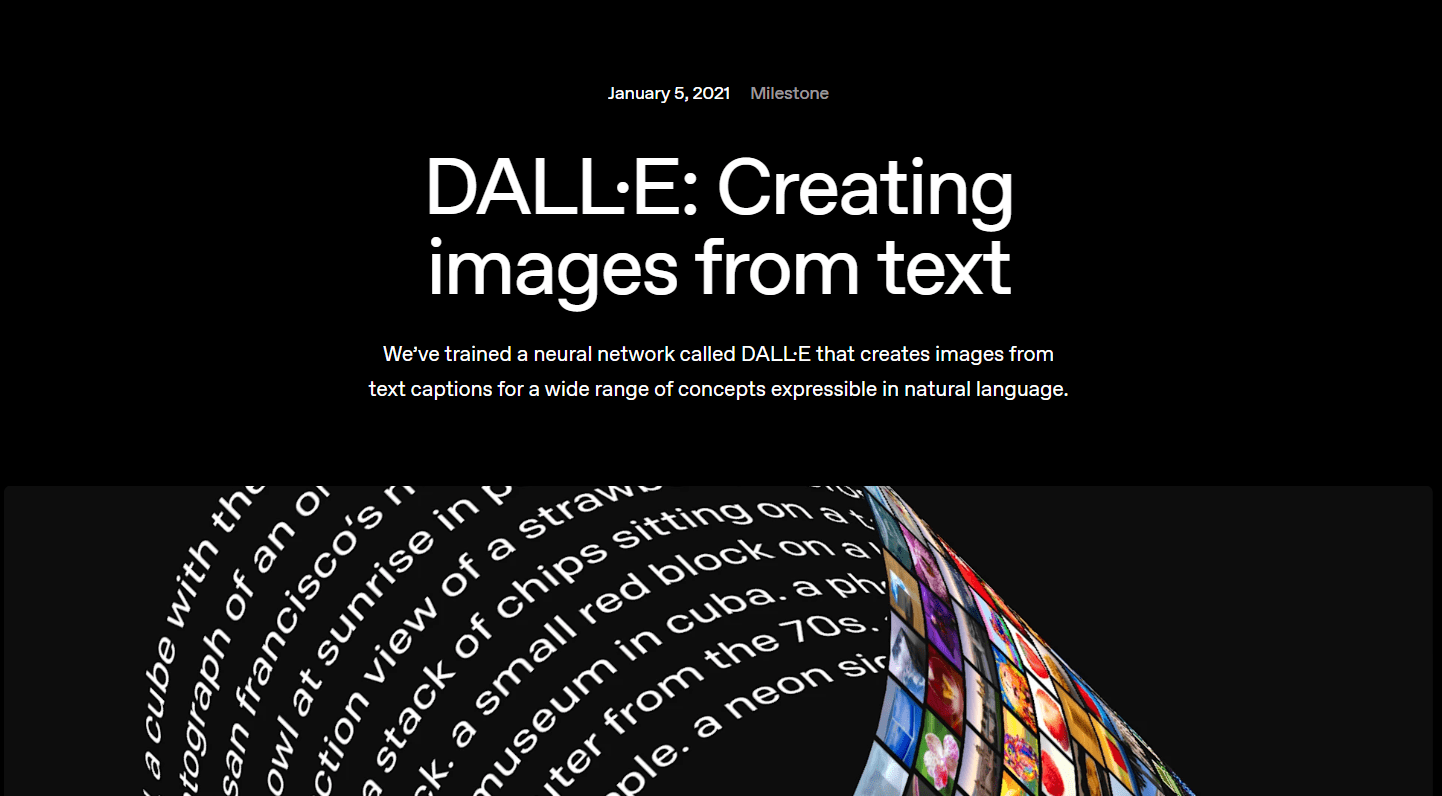
Midjourney is known for artistic and visually striking images. DALL·E, now commonly experienced through ChatGPT’s image tools and GPT Image models, is strong for conversational creation and editing. FLUX is popular with developers and creators who want flexible controls, API access, and model options.
So which one is best in 2026?
The answer depends on what you want to create.
This guide compares Midjourney, DALL·E, and FLUX based on image quality, prompt understanding, editing, speed, control, pricing style, and best use cases. Explore more options in our complete list of AI image generators.
Quick Comparison: Midjourney vs DALL·E vs FLUX
Feature | Midjourney | DALL·E / ChatGPT Images | FLUX |
|---|---|---|---|
Best for | Artistic and cinematic visuals | Easy image creation and editing through chat | Developer workflows, control, and flexible deployment |
Image style | Highly polished and creative | Clean, prompt-focused, versatile | Realistic, detailed, and technically flexible |
Ease of use | Easy, but requires learning its workflow | Very easy for beginners | Varies by tool, API, or platform |
Prompt understanding | Strong for visual style and mood | Strong for natural-language instructions | Strong prompt adherence, especially in modern FLUX models |
Editing | Inpainting, pan, zoom, remix, variations | Conversational edits and image-based instructions | Editing, references, fill, and developer-oriented tools |
Best audience | Designers, artists, content creators | Beginners, marketers, ChatGPT users | Developers, advanced creators, product teams |
Pricing model | Subscription-based | ChatGPT access or API usage | API and platform-based pricing; options vary |
Main strength | Beautiful creative output | Simple instruction-based workflow | Flexibility and integration potential |
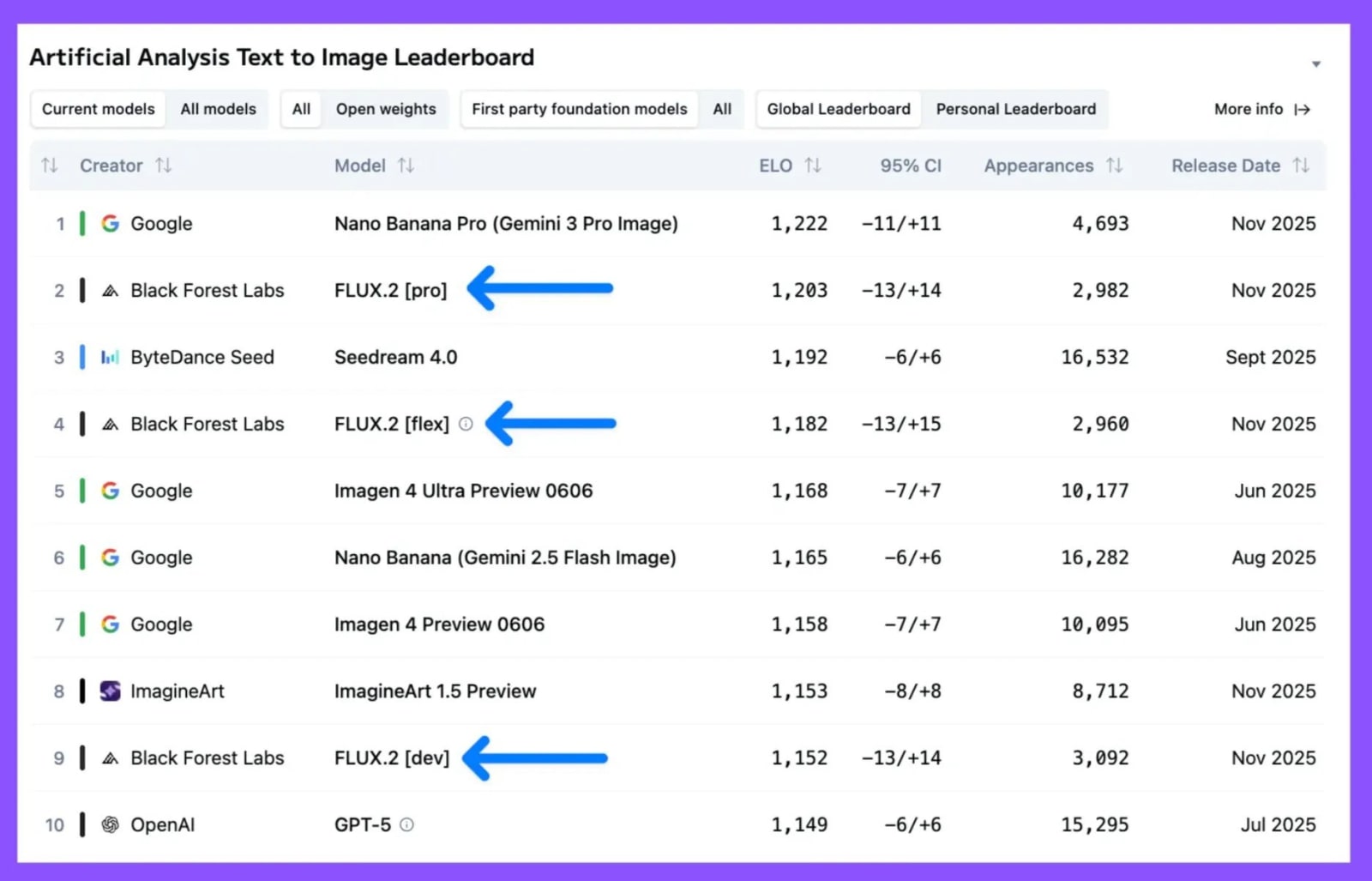
Source: Form Black Forest Labs
1. Midjourney: Best for Artistic and Cinematic Images
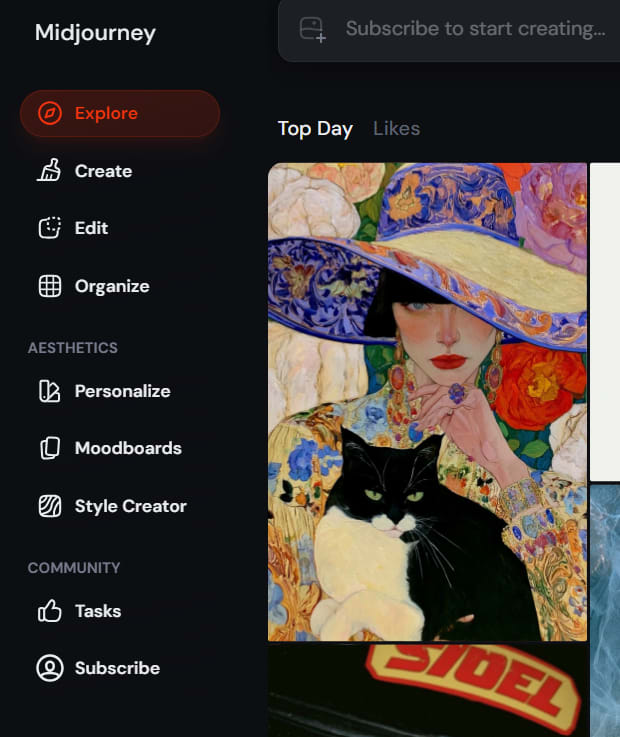
Midjourney is one of the best-known AI image generators for visually impressive artwork. It is especially popular among digital artists, social-media creators, designers, YouTubers, game-concept creators, and people who want images that feel cinematic or stylized.
A simple prompt can often create an image with strong lighting, rich colors, dramatic composition, and a polished creative look.
For example, Midjourney performs well for prompts such as:
A futuristic city floating above clouds at sunset
A cinematic portrait of an astronaut in a neon-lit street
A luxury perfume advertisement with golden lighting
A fantasy castle surrounded by glowing forests
A modern interior-design concept for a luxury home
Why Midjourney Stands Out
Midjourney is especially good at producing images that feel artistic without requiring very technical prompts. It can give ordinary ideas a more dramatic visual style.
It also provides creative editing features such as:
Variations
Remixing
Pan
Zoom Out
Inpainting or Vary Region
Style personalization
Moodboards
Midjourney’s Editor allows users to adjust both generated images and uploaded images using tools such as inpainting, pan, zoom, and remixing.
Its personalization feature can also learn the visual styles you prefer based on selected images and help create visuals closer to your taste.
Midjourney Pros
Excellent artistic quality
Strong lighting, atmosphere, and composition
Great for fantasy, fashion, gaming, and cinematic visuals
Useful creative variations
Powerful image expansion and editing tools
Good for social-media and brand visuals
Midjourney Cons
It may require several prompt attempts for precise results.
Exact text inside images can still need checking.
It is less ideal when you need highly structured product layouts.
It is subscription-based rather than a permanently free image tool.
Beginners may need time to understand style settings and workflows.
Best Use Cases for Midjourney
Midjourney is a strong choice for:
YouTube thumbnails
Blog feature images
Concept art
Game assets and characters
Fashion concepts
Book covers
Brand moodboards
Fantasy and sci-fi artwork
Creative social-media content
Midjourney Pricing Style
Midjourney uses subscription plans. Its official plans include Basic, Standard, Pro, and Mega options, with different GPU-time limits and generation access.
If your main goal is artistic output, Midjourney can be worth the cost. But if you need AI images inside an app, website, or automated workflow, FLUX or OpenAI’s API may be more practical.
2. DALL·E / ChatGPT Images: Best for Beginners and Easy Editing
OpenAI’s image-generation tools are best for people who want a simple experience. Instead of learning complicated prompt settings, you can describe what you want in normal language.
For example, you can write:
Create a clean blog banner about AI tools, with a laptop, blue gradient background, soft lighting,and empty space on the left for a headline.
Then you can follow up with:
Make the laptop smaller, remove the person, and use a darker background.
This conversational editing style is one of the biggest advantages of ChatGPT Images.
Why DALL·E and ChatGPT Images Are Useful
The main strength is simplicity. You do not need to know advanced visual terms to get started. You can explain your idea, review the result, and request changes in the same conversation.
This is especially useful for bloggers, business owners, marketers, and beginners who need images quickly.
OpenAI’s GPT Image models support image generation from text and image editing through prompts.
DALL·E / ChatGPT Images Pros
Very beginner-friendly
Easy conversational prompts
Useful for editing existing images
Good for blog images and marketing visuals
Works naturally with content-writing workflows
Helpful when you need multiple revisions
DALL·E / ChatGPT Images Cons
Advanced visual control may feel limited compared with specialist tools.
Results may require several edits for complex scenes.
Access and usage limits depend on your ChatGPT plan or API budget.
It may not always produce the same artistic “wow” effect as Midjourney.
Text, logos, and small product details should always be checked carefully.
Best Use Cases for DALL·E / ChatGPT Images
This option is ideal for:
Blog illustrations
Website banners
Social-media graphics
Presentation visuals
Product concepts
Educational images
Marketing drafts
Image edits through simple instructions
Quick creative experiments
DALL·E / ChatGPT Images for Developers
For developers, OpenAI’s image models can be integrated into apps through an API. You can generate images from scratch, modify existing images, choose image sizes, and create image workflows inside your own product.
OpenAI’s latest GPT Image documentation describes text-to-image generation and editing endpoints for API-based use.
This makes it useful for AI tools, design apps, e-commerce utilities, content platforms, and custom image-generation products.
3. FLUX: Best for Developers, Advanced Control and Flexible Workflows
FLUX is a family of AI image models developed by Black Forest Labs. It has become a major choice for developers, builders, and advanced creators who want more flexibility than a simple image-generation website can provide.
FLUX is particularly useful if you want to integrate image generation into an app, build a custom workflow, use APIs, work with reference images, or explore different model versions.
In 2026, Black Forest Labs recommends FLUX.2 for new image-generation projects, with support for high-quality output, flexible aspect ratios, improved text rendering, and multi-reference image control.
Why FLUX Is Different
Midjourney is mainly a creator-focused product. ChatGPT Images is mainly a simple conversational tool. FLUX is more of a flexible image-generation ecosystem.
You may use FLUX through:
The Black Forest Labs API
Third-party AI platforms
Developer tools
Hosted workflows
Supported local or open-model setups, depending on the model and license
This flexibility makes FLUX attractive for startups, developers, agencies, and product teams.
FLUX Pros
Strong prompt adherence
Good realism and fine visual detail
Developer-friendly API access
Flexible aspect ratios and image controls
Useful reference-image features
Good option for custom products and workflows
Strong potential for automation and integration
FLUX Cons
It can feel more technical than ChatGPT Images.
The best workflow may depend on which FLUX model or platform you use.
API usage requires development knowledge and cost management.
Setup can be harder for beginners.
Licensing and commercial-use rules may vary between model versions and providers.
Best Use Cases for FLUX
FLUX is a strong option for:
AI image generator websites
Custom creative apps
E-commerce image workflows
Product visualization
Brand image generation
Automated blog-image creation
Developer APIs
Character consistency workflows
Advanced image editing
Black Forest Labs also offers image tools for tasks such as image fill, outpainting, erasing, and virtual try-on.
Midjourney vs DALL·E vs FLUX: Image Quality
Image quality depends on the prompt, the specific model version, output settings, and the type of image you want.
Still, each platform has a different style.
Midjourney Image Quality
Midjourney often produces the most immediately impressive artistic images. It is particularly strong at:
Cinematic lighting
Fashion visuals
Fantasy scenes
Stylized portraits
Concept art
Atmospheric environments
If your goal is to create an image that looks visually dramatic and polished, Midjourney is often a top choice.
DALL·E / ChatGPT Image Quality
ChatGPT Images is strong when you want the image to follow a written instruction and when you need to revise it through conversation.
It works well for:
Clean illustrations
Marketing graphics
Simple product concepts
Educational visuals
Blog images
Content requiring multiple revisions
The biggest advantage is not only quality. It is the ability to say what you want in normal language and keep improving the same idea.
FLUX Image Quality
FLUX is strong at detailed, realistic, and prompt-aligned image generation. It is especially useful for developers who want quality output with greater workflow control.
FLUX.2 is positioned by Black Forest Labs as its recommended model for high-fidelity text-to-image generation, image editing, reference support, and output up to 4MP.
Which Tool Has the Best Prompt Understanding?
All three tools can understand detailed prompts, but they behave differently.
Tool | Prompt Style That Works Best |
|---|---|
Midjourney | Visual descriptions, style, mood, lighting, camera angle, artistic direction |
DALL·E / ChatGPT Images | Natural language instructions and follow-up edits |
FLUX | Detailed prompts, precise constraints, structured workflows, reference-based tasks |
Midjourney Prompting
Midjourney responds very well to descriptive prompts. You can include details such as:
Subject
Scene
Lighting
Camera angle
Mood
Art style
Color palette
Aspect ratio
Example:
A luxury electric car parked on a rainy Tokyo street at night, neon reflections, cinematic photography, deep blue and purple colors, high detail, wide composition.
DALL·E / ChatGPT Prompting
ChatGPT Images is great when you prefer simple instructions.
Example:
Create a modern website hero image for an AI tools directory. Use a clean blue background, floating interface cards, subtle 3D elements, and empty space for text on the left.
You can then request changes without rewriting everything.
FLUX Prompting
FLUX works well when the prompt contains specific details and constraints.
Example:
Photorealistic skincare product bottle on a white marble surface, soft studio lighting, pale green background, minimal luxury beauty campaign, product centered, no visible brand logo, vertical 4:5 composition.
For teams building products, FLUX’s structured API approach can make repeated image generation easier to automate.
Midjourney vs DALL·E vs FLUX: Editing Features
Editing is now just as important as generation.
You may need to remove an object, change clothing, expand a background, adjust a product color, or create multiple versions of the same concept.
Midjourney Editing
Midjourney offers a creative editing workflow through:
Vary Region
Pan
Zoom Out
Remix
Variations
Image editor
This is excellent for expanding a scene or trying creative alternatives.
DALL·E / ChatGPT Image Editing
ChatGPT Images is useful when you want to edit through conversation.
For example:
Keep the same image, but change the background from an office to a modern coffee shop.
This makes the process easier for people who do not want to learn editing controls.
FLUX Editing
FLUX is useful for advanced editing and reference-based workflows. Depending on the model and platform, it can support image modification, image filling, reference images, and other programmable controls.
This makes FLUX attractive for businesses that want to generate many consistent product images or build custom editing tools.
Pricing: Which AI Image Generator Is More Affordable?
Pricing changes often, so always check the official site before purchasing a plan.
Midjourney Pricing
Midjourney uses monthly or annual subscriptions. This is straightforward for creators who generate images regularly.
It is a good option if you want consistent creative output and do not need to build an app around the model.
DALL·E / ChatGPT Images Pricing
ChatGPT image access depends on the plan, features, and usage limits available to your account. Developers can also use GPT Image models through API pricing.
This can be useful if you already use ChatGPT for writing, research, and brainstorming because image generation becomes part of the same workflow.
FLUX Pricing
FLUX pricing depends on the model, platform, and API usage. Some FLUX models or integrations may be more suitable for experimentation, while professional API workflows charge based on output and model selection.
For example, Black Forest Labs documents API-based pricing for specific models, including FLUX1.1 [pro].
For developers, usage-based pricing can be better than a subscription because you pay according to actual product usage.
Which AI Image Generator Should You Choose?
Choose Midjourney if you want:
High-impact artistic visuals
Cinematic scenes
Creative concept art
Fashion, fantasy, or gaming images
Beautiful content for social media and thumbnails
Choose DALL·E / ChatGPT Images if you want:
Easy image creation through chat
Quick edits using simple language
Blog graphics and business visuals
A beginner-friendly experience
Image generation inside your content workflow
Choose FLUX if you want:
API access
Greater flexibility
Advanced image workflows
Custom AI products
High-quality, prompt-focused generation
Reference-image and automation potential
Are There Other Good AI Image Generators in 2026?
Yes. Midjourney, DALL·E, and FLUX are major names, but they are not the only options.
Other AI image tools worth exploring include:
Adobe Firefly for design workflows and Adobe integration
Leonardo AI for game assets, characters, and creative control
Ideogram for images that require readable text and typography
Canva Magic Media for quick social-media and marketing designs
Stable Diffusion-based tools for custom workflows and open-model experimentation
The best tool depends on whether you care most about artistic style, realistic images, text in images, editing, speed, or automation.
Tips for Getting Better AI Images
No matter which tool you use, better prompts usually create better results.
Include these details in your prompt:
Main subject
Setting or background
Style
Lighting
Camera angle
Mood
Colors
Aspect ratio
Important details to include or avoid
Instead of writing:
Create a coffee shop.
Try:
A warm modern coffee shop with large windows, wooden tables, indoor plants, morning sunlight, a barista behind the counter, soft beige and green colors, realistic interior photography, wide 16:9 composition.
The second prompt gives the AI more direction.
Bottom Line
Midjourney, DALL·E, and FLUX are all powerful AI image generators, but they serve different users.
Midjourney is the best choice for artistic, cinematic, and attention-grabbing visuals. DALL·E and ChatGPT Images are excellent for easy creation and conversational editing. FLUX is a strong option for developers, advanced users, and businesses that need flexible image-generation workflows.
For most beginners, start with ChatGPT Images. For creative visuals, try Midjourney. For custom apps and automated workflows, explore FLUX.
The real winner is the tool that fits your workflow, budget, and creative goal.